VMware Cloud Foundation 9.1 Upgrade - Part 3: VCF Automation and Operations for Logs
With SDDC Manager and the new VCF Management Services runtime in place after Part 2, Part 3 tackles two more components: VCF Automation and VCF Operations for Logs.
These two matter for a reason beyond just version numbers. As the series overview explains, the cert and password freeze window kicked in the moment I upgraded VCF Operations back in Part 1. VCF Automation and Logs are two of the four components stuck behind that freeze (the Identity Broker and VCF Operations for Networks are the others), so getting them to 9.1 lifts it for them.
Two conditional steps around Automation
Two components can slot in around VCF Automation depending on how the environment is built, and neither applies in my lab, so I’ll flag them and move on. An Identity Broker in appliance mode is upgraded from the Build → Lifecycle → VCF Management → Upgrade tab, and it goes before Automation in the official order. A standalone VCF Operations Orchestrator upgrades on its own after Automation, and it’s an ISO-based upgrade (Upgrade to VCF Operations Orchestrator 9.1). I’m on the embedded broker, which upgrades with vCenter in Part 4, so neither shows up in my walkthrough.
Upgrading VCF Automation
VCF Automation (the product formerly known as Aria Automation) is driven from the VCF Operations Lifecycle UI, and the important thing to understand is that this is not an in-place upgrade. The 9.1 upgrade stands up a brand new VCF Automation instance on its own dedicated VCF services runtime, transfers the existing FQDN to it, and then shuts down the old nodes (Upgrading to VCF Automation 9.1).
That side-by-side approach means there’s address prep to do first, same as there was for Management Services back in Part 2.
Planning the addresses
For a Simple, Small deployment, the requirements are:
| Purpose | What’s needed |
|---|---|
| VCF Automation node IP pool (new) | Five addresses are required: 3 consumed by the nodes and 2 held as a buffer. The wizard takes a CIDR such as a /29, which covers eight addresses, or five individual IPs, contiguous or not |
| VCF services runtime FQDN (new) | One new lowercase FQDN, resolving outside that pool |
| VCF Automation VIP (re-used) | Nothing to do, the existing Automation FQDN carries over automatically |
Here’s what I reserved in my lab, on the same 10.100.1.0/24 management network my current Automation nodes use:
| Purpose | FQDN | IP | DNS |
|---|---|---|---|
| Automation node pool (reserve in IPAM only) | n/a | 10.100.1.160/29 reserved in IPAM, entered as a CIDR in the wizard | none per-host |
| Automation services runtime | vcf-m01-vautort01 | 10.100.1.69 | A + PTR |
| VCF Automation VIP (unchanged) | vcf-m01-vauto01 | 10.100.1.55 | already exists |
Two more prerequisites. The existing 9.0.x VCF Automation must be deployed in the management domain, not in a workload domain (upgrade docs). And the Subject Alternative Name field on the VCF Automation certificate needs to contain the FQDNs and IP addresses of all Automation nodes plus the load balancer or VIP (upgrade docs).
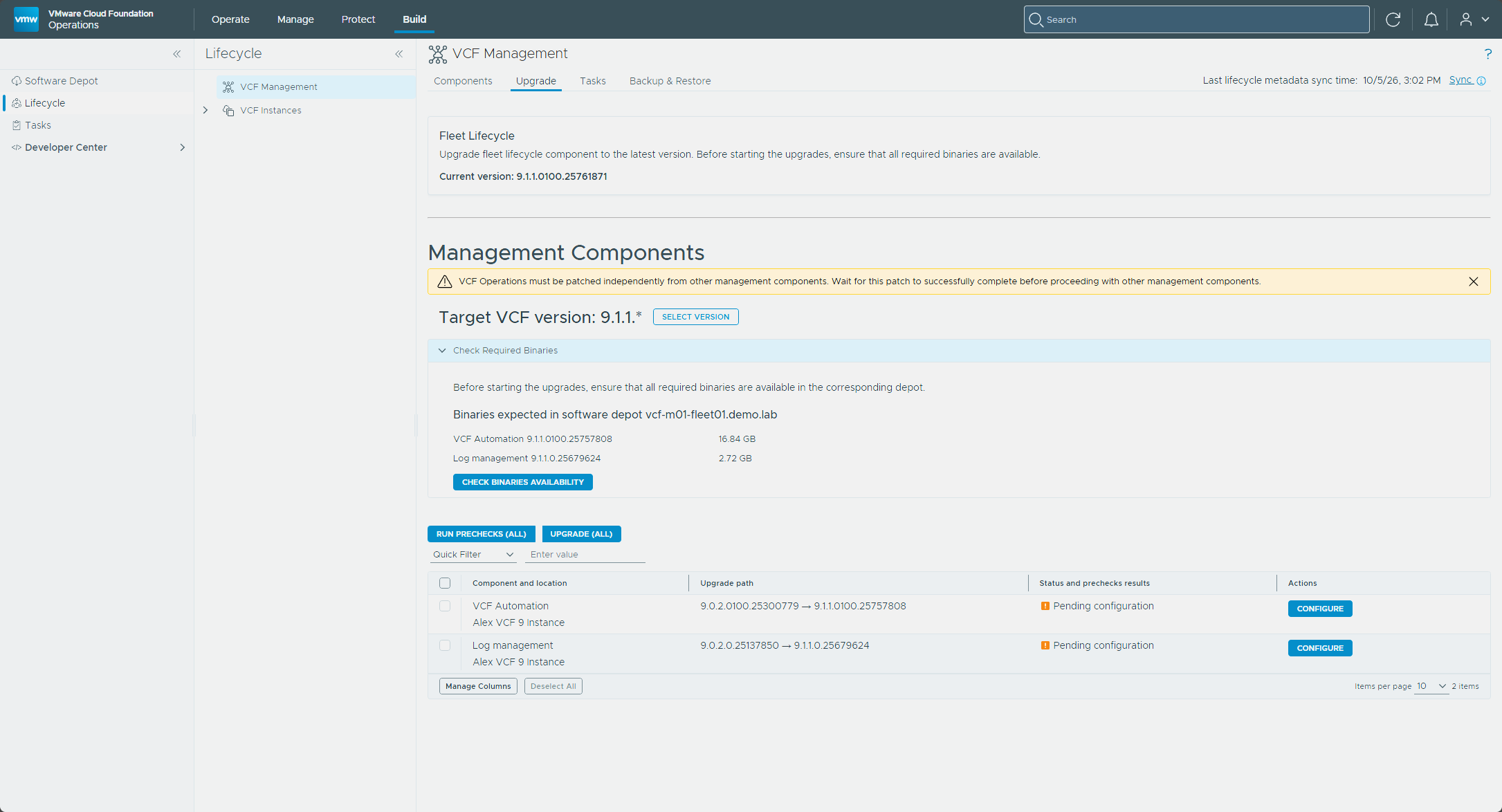
Beyond those, a short pre-flight list. The fleet-level software depot from Part 2 has to be configured, with the upgrade binaries downloaded into it. The Check Required Binaries panel on the Upgrade tab lists what the target version expects, and for me that was VCF Automation 9.1.1.0100.25757808 and log management 9.1.1.0.25679624. The cloud accounts for the VCF Automation integration also have to be validated with validate connection in VCF Operations before the wizard relies on them, and the Data Services Manager upgrade guidance has to be worked through first if DSM is integrated with Automation. The vSphere account VCF Operations uses needs the documented Aria Suite Lifecycle role privileges on the management vCenter (upgrade docs), which is a long table but comes down to broad rights over VMs, datastores, networks, content libraries, and service accounts. And the management cluster needs room for the new instance, because the existing instance stays active while the new one is provisioned, so for a stretch it carries both.
Running the upgrade
Set up the backup location first. Configure the SFTP backup location under Build → Lifecycle → VCF Management → Backup & Restore → Add Backup Location. It’s a prerequisite for patching or upgrading VCF management services components, and it’s where the automatic backups taken during upgrades go (Configure an External SFTP Server for VCF Management Services and VCF Automation Backups).
In VCF Operations, go to Build → Lifecycle, click VCF Management, and open the Upgrade tab.
Next to the VCF Automation instance, select Configure.
On the Parameters page, fill in the runtime nodes IP pool, the new VCF services runtime FQDN, and a password for the Automation
vmware-system-userand[email protected]accounts. It needs at least 15 characters and a special character from@ ! # $ % ? ^. The password field has Copy to clipboard and Re-generate links and warns that you won’t be able to see the password again after the deployment, so save it somewhere safe first. The IP pool takes either a CIDR or Individual IPs, with a minimum of five, and I entered10.100.1.160/29. The page also carries a warning that support for public cloud endpoints is deprecated starting with VCF Automation 9.1.1 and will be turned off by default upon upgrade. Select Next.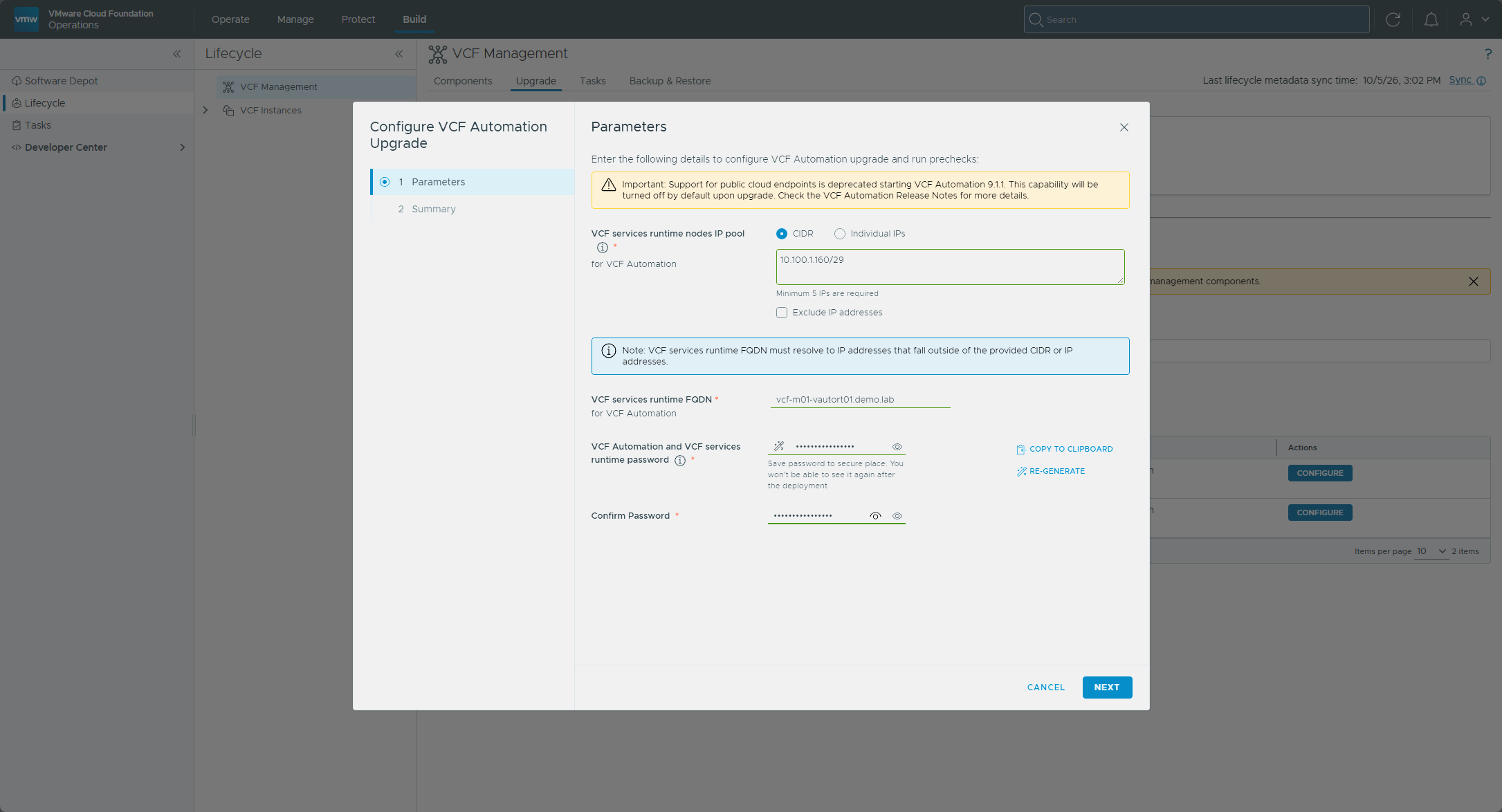
Review the Summary and select Finish.
Back on the Upgrade tab, select Run Prechecks. Watch via Precheck details, remediate any failures, and run them again until clean. Mine failed the first time, which I cover in the note after these steps.
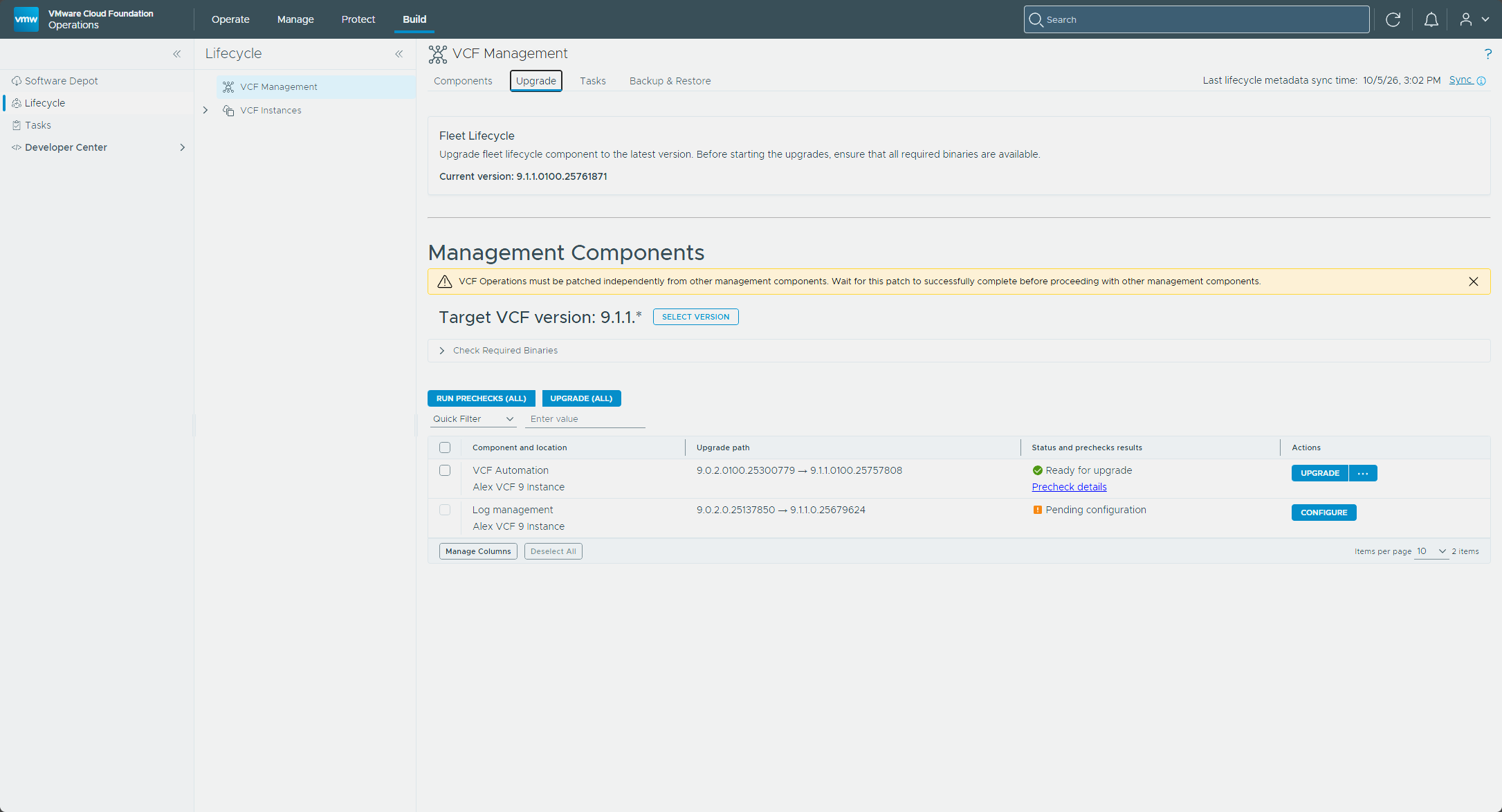
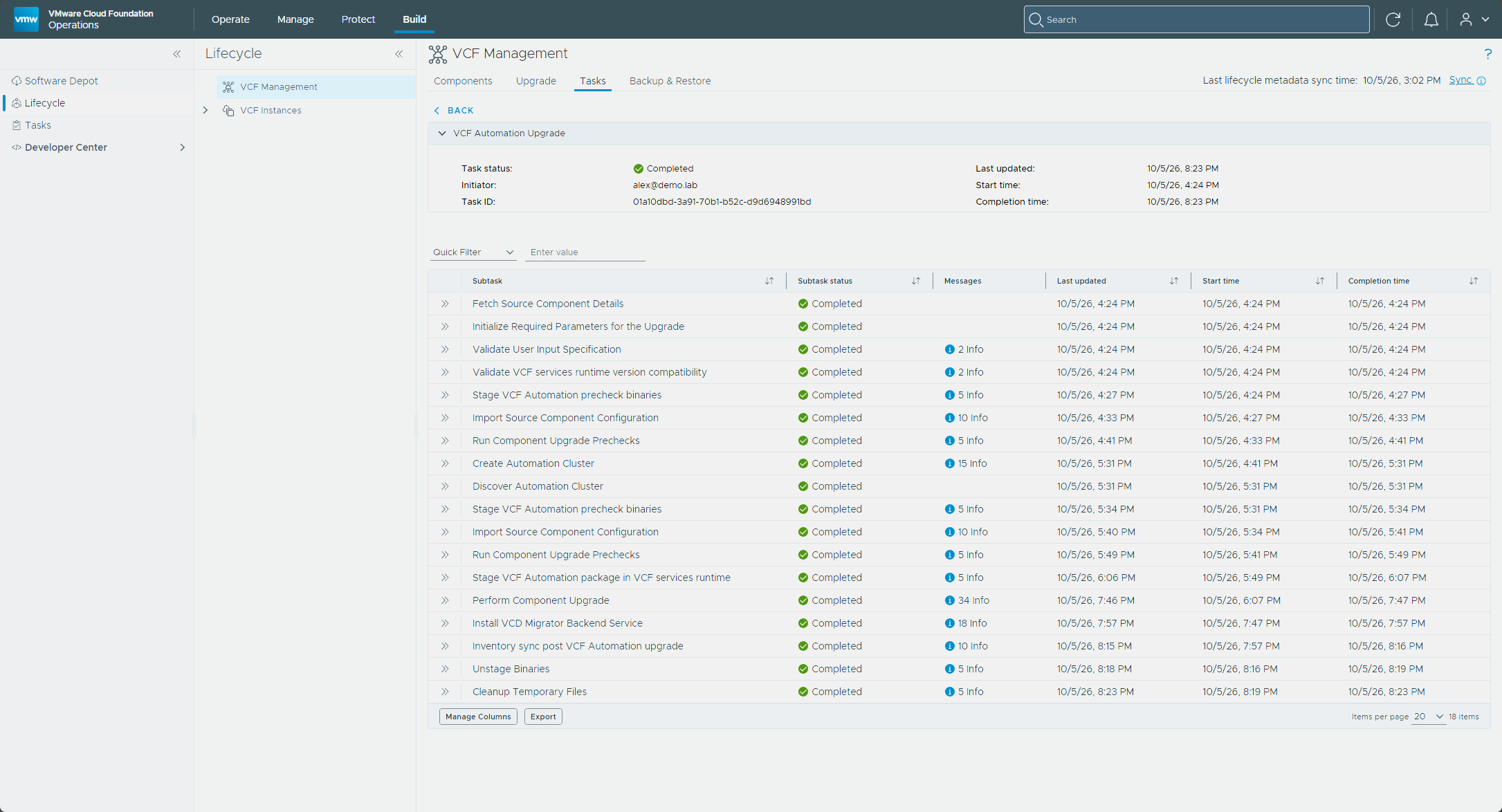
With prechecks green, the Run Prechecks button becomes Upgrade. Select it and track the task under Tasks. The … menu next to it has a Reconfigure option if you need to change the parameters.
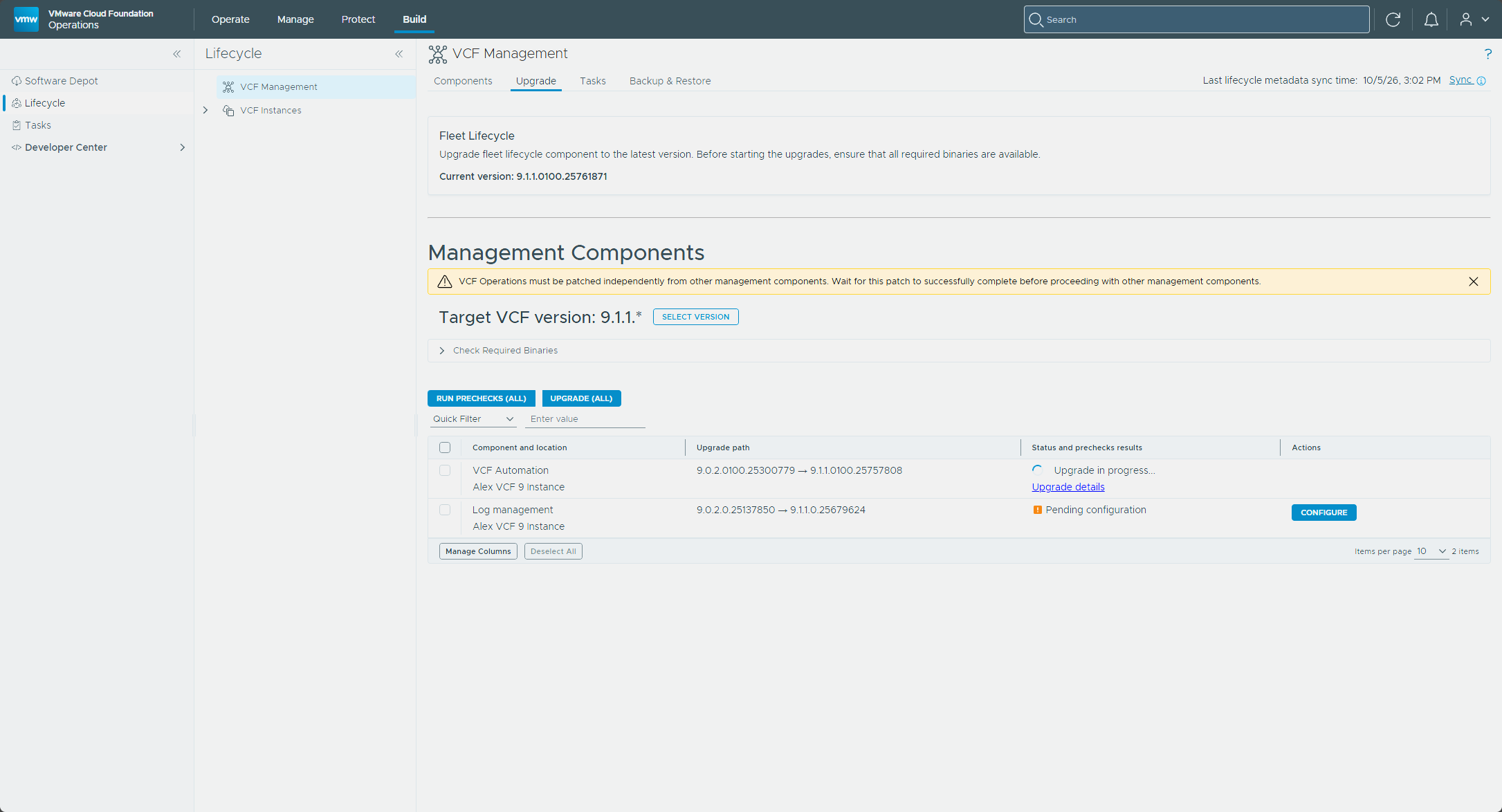
The platform’s own health check is the quick way to see what it thinks of itself. It lives on the VIP at port 30006, returns HTTP 200 when every test passes and 218 when some fail, and the body lists each test (KB 389510).
curl -k -s -o /dev/null -w "%{http_code}\n" https://<vcf-automation-vip>:30006/status
VMware’s deep dive describes what the workflow does. It creates a vcf-automation folder on the management vCenter and spins up a temporary bootstrap VM that clones the new 9.1 nodes and hands them addresses from the CIDR. Once the new cluster is ready, it takes a full backup of the source, scales the source services down, transfers the data across, powers off the old 9.0.x nodes, finishes the Postgres upgrade, and registers the new instance with Fleet Lifecycle. The prechecks need SSH on port 22 open to the existing Automation nodes and enough disk I/O headroom to pass a 30-second latency test against the Postgres pods.
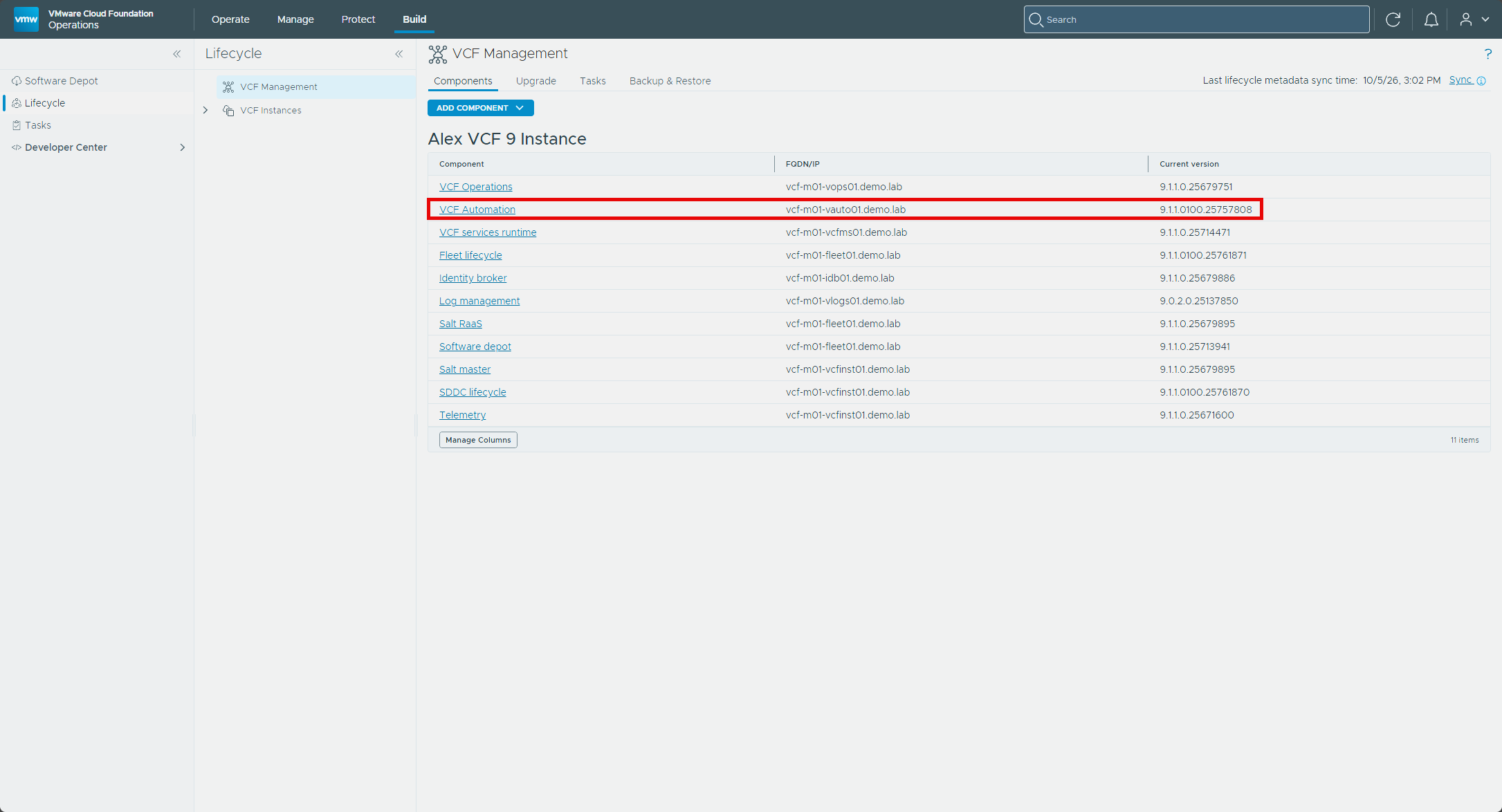
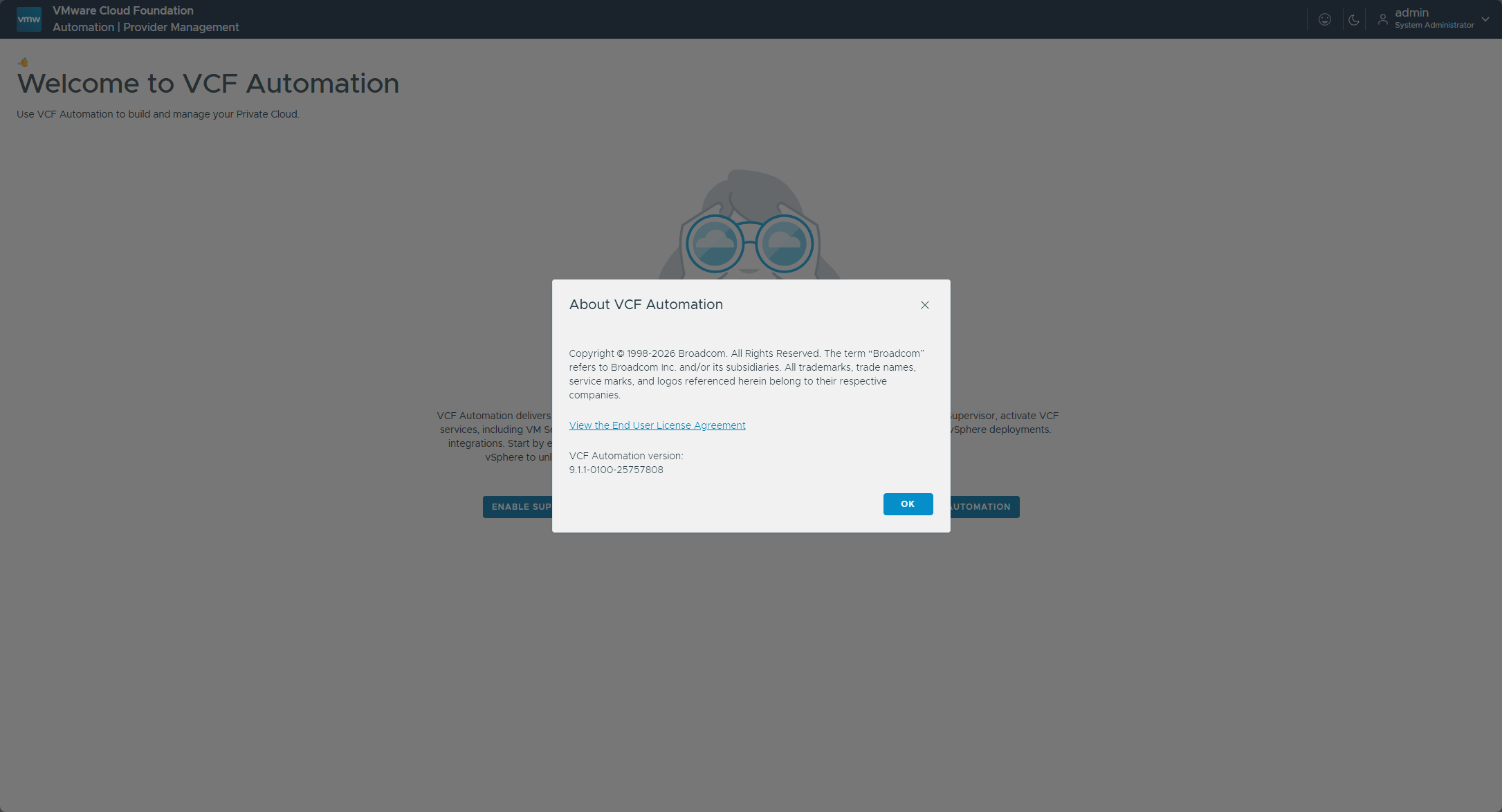
Once it completes, check Build → Lifecycle → VCF Management. In my lab the Components tab listed VCF Automation at 9.1.1.0100.25757808 on vcf-m01-vauto01.demo.lab, and the About dialog in the Automation UI showed 9.1.1-0100-25757808.
The upgrade task succeeded in my lab. When it finished, the old node vcf-m01-vauto01-gnww7 was powered off and still in vCenter, and the Automation VIP answered on the new cluster. I could sign in to the new Automation UI as admin, and it opened on the Welcome to VCF Automation page.
VCF Operations for Networks
I don’t run VCF Operations for Networks (the product formerly known as Aria Operations for Networks, and vRealize Network Insight before that) in this lab, so it isn’t part of my hands-on walkthrough. This is where it would slot in, though: the upgrade order places it after VCF Automation (and after a standalone Orchestrator, if there is one) and just before Logs (upgrade order).
Broadcom’s Upgrade to VCF Operations for Networks 9.1 procedure covers it.
Upgrading VCF Operations for Logs
Next up is VCF Operations for Logs (the log management appliance, formerly Aria Operations for Logs, and Log Insight before that). In my lab this is a deployed, powered-on appliance.
Like VCF Automation, this one isn’t a straight in-place upgrade either. In 9.1 log management becomes part of VCF Management Services, and the wizard puts it this way: to upgrade log management to 9.1.1 you deploy a new instance and migrate data manually after the deployment. After the post-upgrade configuration you can shut down and remove the legacy appliance, and for 90 days after the upgrade you can query the old cluster’s logs (upgrade page).
Planning the FQDN
Log management 9.1 needs one new, unique FQDN, resolving to an address on the same network as the VCF Management Services. It has to be lowercase, and it can’t point into the IP range I handed to Management Services back in Part 2. In my lab that’s vcf-m01-vlogs02 on 10.100.1.59, with A and PTR records, sitting right next to the 9.0.x appliance (vcf-m01-vlogs01 on .58) it’s replacing. The wizard says the FQDN of the existing 9.0.x appliance can’t be reused.
Running the upgrade
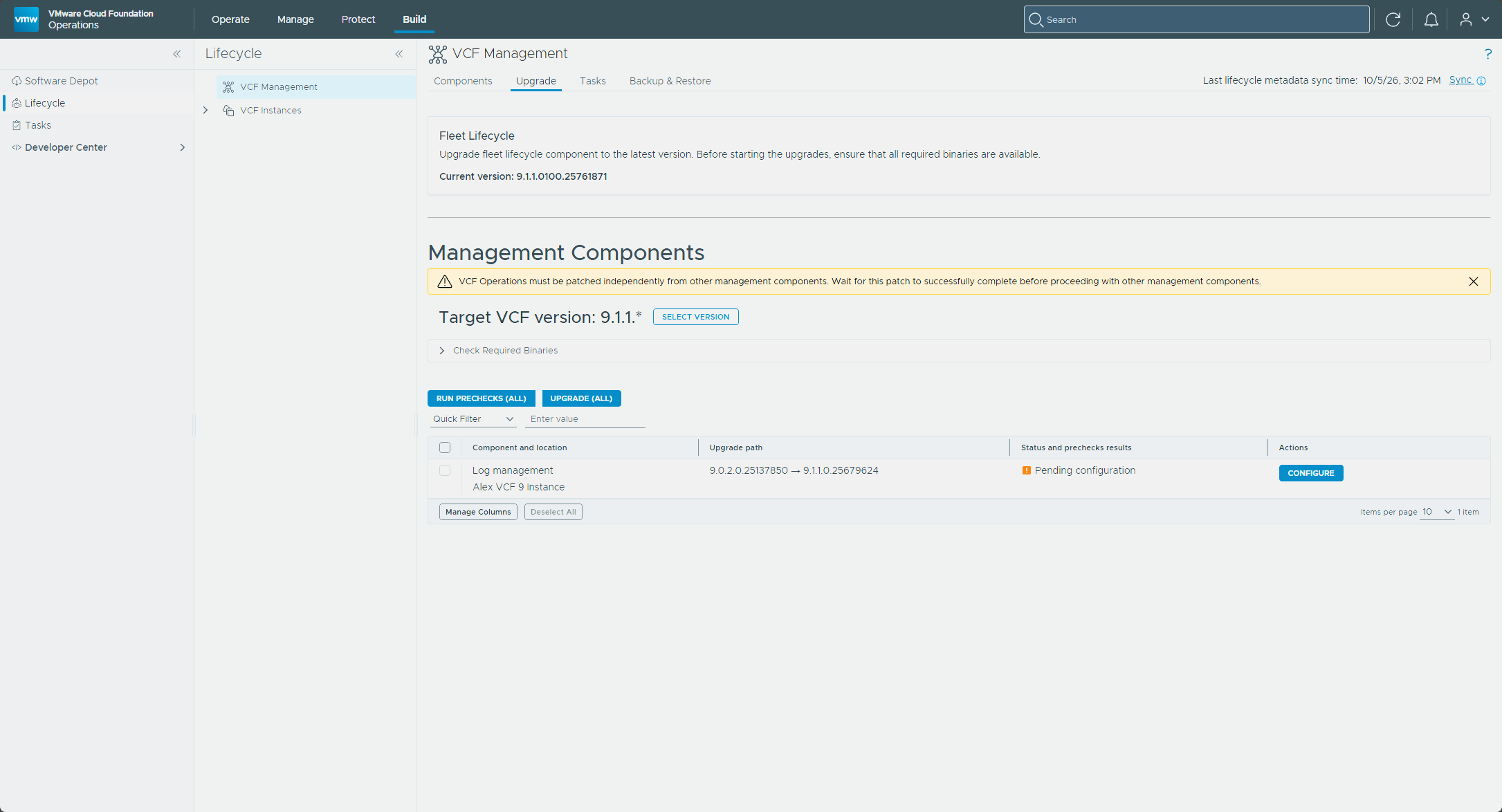
In VCF Operations, go to Build → Lifecycle, click VCF Management, and open the Upgrade tab.
Next to the log management component, select Configure.
In the Configure Log Management Upgrade wizard, enter your new log management FQDN, pick a size (Small, Medium, or Large), and set the number of replicas. I picked Small, and the replicas field started at 1, with a note that the max for the small size is 19. Select Next, and the Summary lists the version (
9.1.1.0.25679624), the FQDN, the size, and the number of replicas. Select Finish.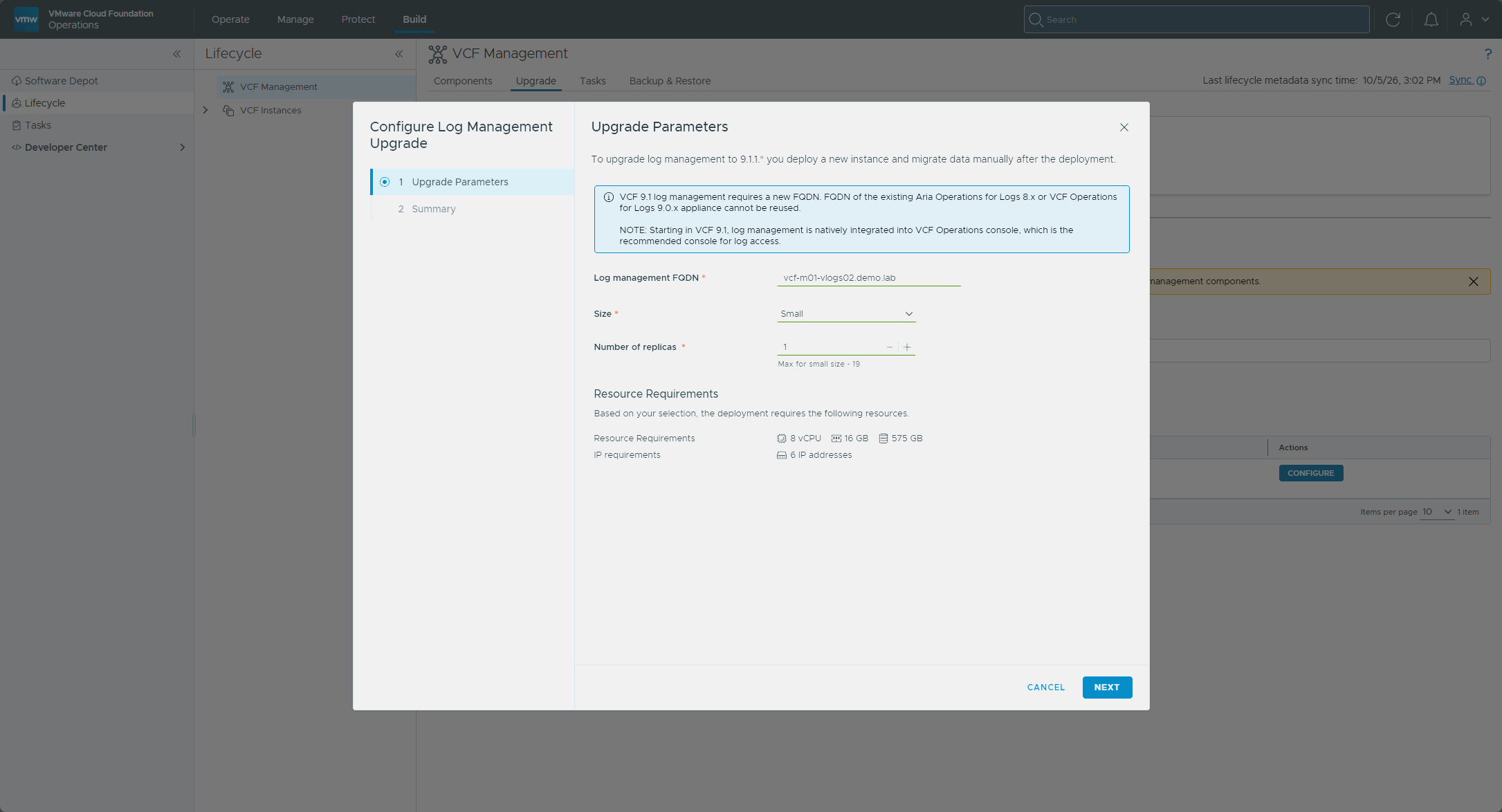
Back on the Upgrade tab, the row shows Configuration in progress for a bit and then Ready for upgrade, with an Upgrade button next to the log management component. Select it, and track it via Upgrade details.
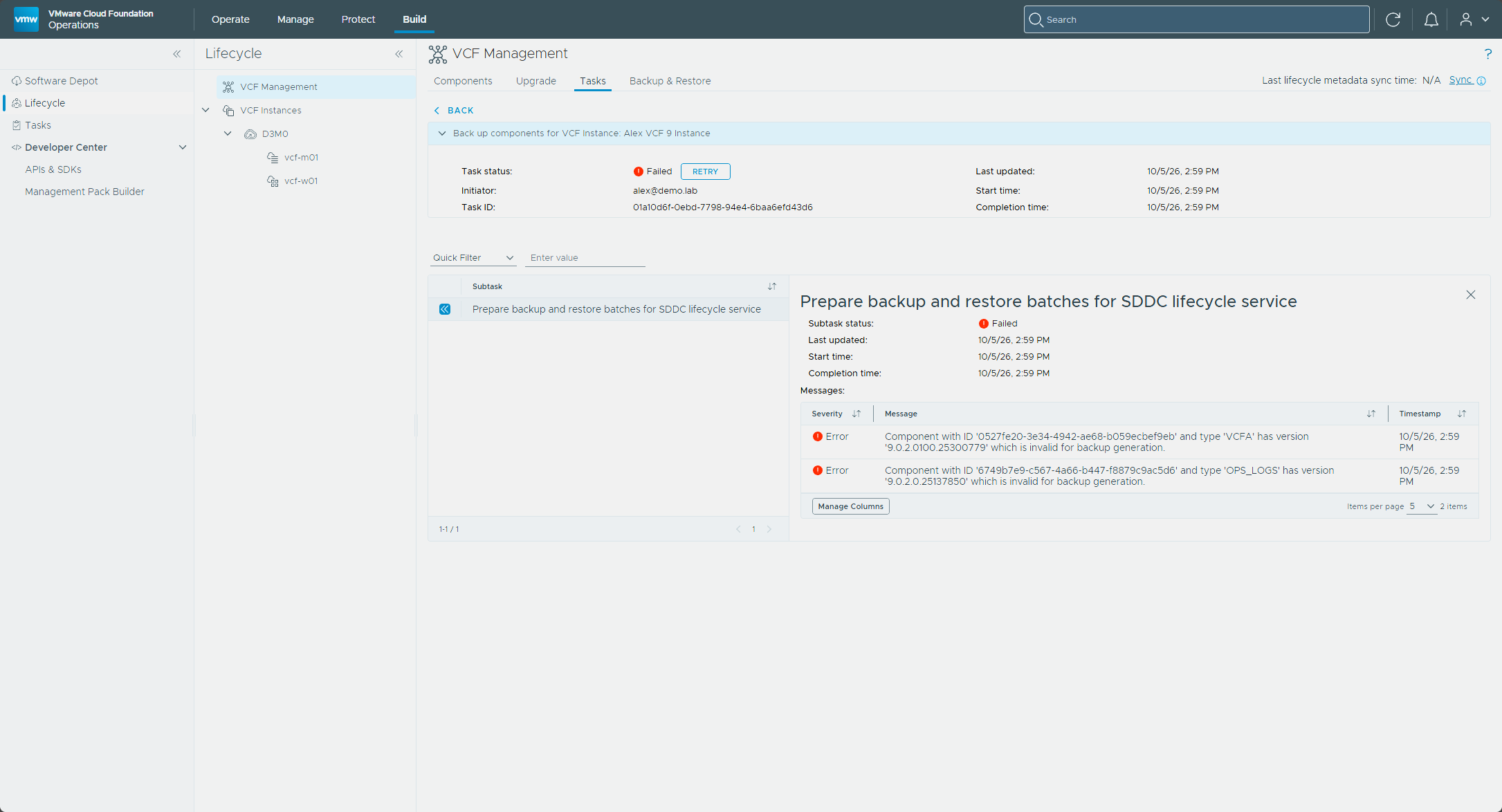
Broadcom’s procedure ends with the upgrade report: after the upgrade completes, open the Tasks tab, click the log management task, then the Upgrade report icon to download it (upgrade page). Mine never got that far.
The real error was in VCF Operations’ own logs. Under Operate → Administration → Control Panel → Support Logs, I expanded my VCF Operations node, then the OTHER folder, and opened component-manager-plugin.log. Searching it for componentCategory and reading the lines just above the stack trace showed VCF Operations calling the new instance at https://vcf-m01-vlogs02.demo.lab:9543/api/v2/log-configs/legacy/pull, and the new instance answering HTTP 500 with Cannot invoke "String.equals(Object)" because "config.componentCategory" is null.
That pull reads the log collection records stored on the old 9.0.2 appliance. The log collection setting on the vCenter’s account in VCF Operations was grayed out with “Log Management component is required”, and the old appliance’s vSphere integration page listed no servers.
So I took the documented way out. Broadcom’s cleanup script from KB 441333 removes a failed log management deployment from Fleet Lifecycle and from the VCF services runtime, and the KB notes that the existing Operations for Logs instance continues to function. The list command shows the component IDs, and delete removes one after asking for confirmation. Both ask for the [email protected] password, which the KB says is the same as the runtime’s vmware-system-user password. In my lab, Fleet is vcf-m01-fleet01.demo.lab and the runtime is vcf-m01-vcfms01.demo.lab.
python cleanup_component.py list vsp-component --fleet-fqdn <fleet-fqdn> --vcf-services-runtime-fqdn <runtime-fqdn> --vcf-services-runtime-username [email protected]
python cleanup_component.py delete vsp-component --component-id <log-management-id> --fleet-fqdn <fleet-fqdn> --vcf-services-runtime-fqdn <runtime-fqdn> --vcf-services-runtime-username [email protected]
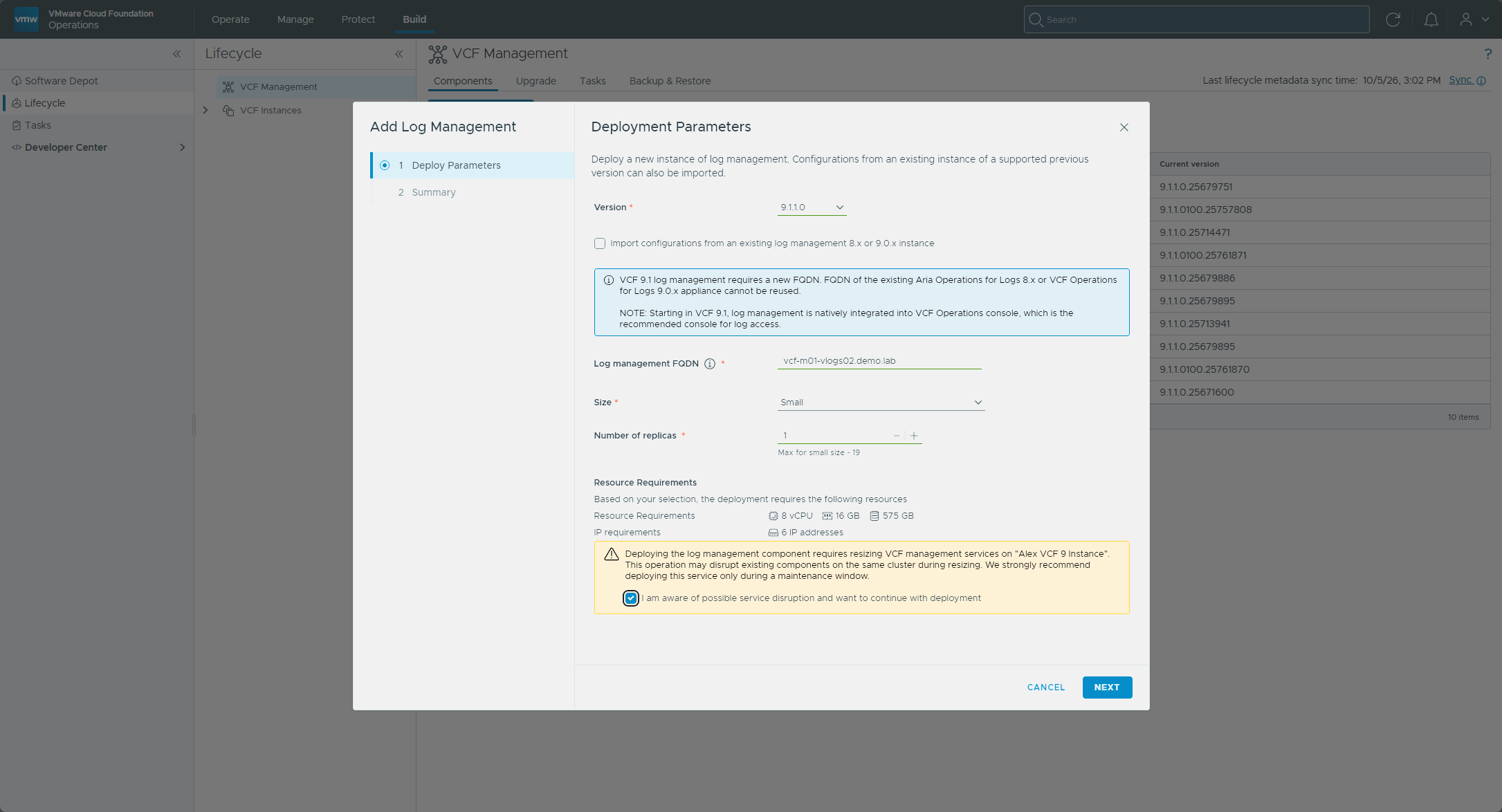
With the old record gone from Fleet Lifecycle and the runtime, I deployed log management fresh instead of upgrading. In VCF Operations that’s Build → Lifecycle → VCF Management, then Components → Add component → Log management (Deploy Log Management). I chose version 9.1.1.0, left Import configurations from an existing log management 8.x or 9.0.x instance unticked, because the import is the step that failed, and entered the same FQDN, vcf-m01-vlogs02.demo.lab, which was free again. I picked Small with 1 replica. A yellow warning said deploying it requires resizing VCF Management Services on my instance, may disrupt existing components on that cluster while it resizes, and recommended a maintenance window, with a box to tick to continue. I ticked it and started the deployment, and the Tasks panel showed it as an install task.
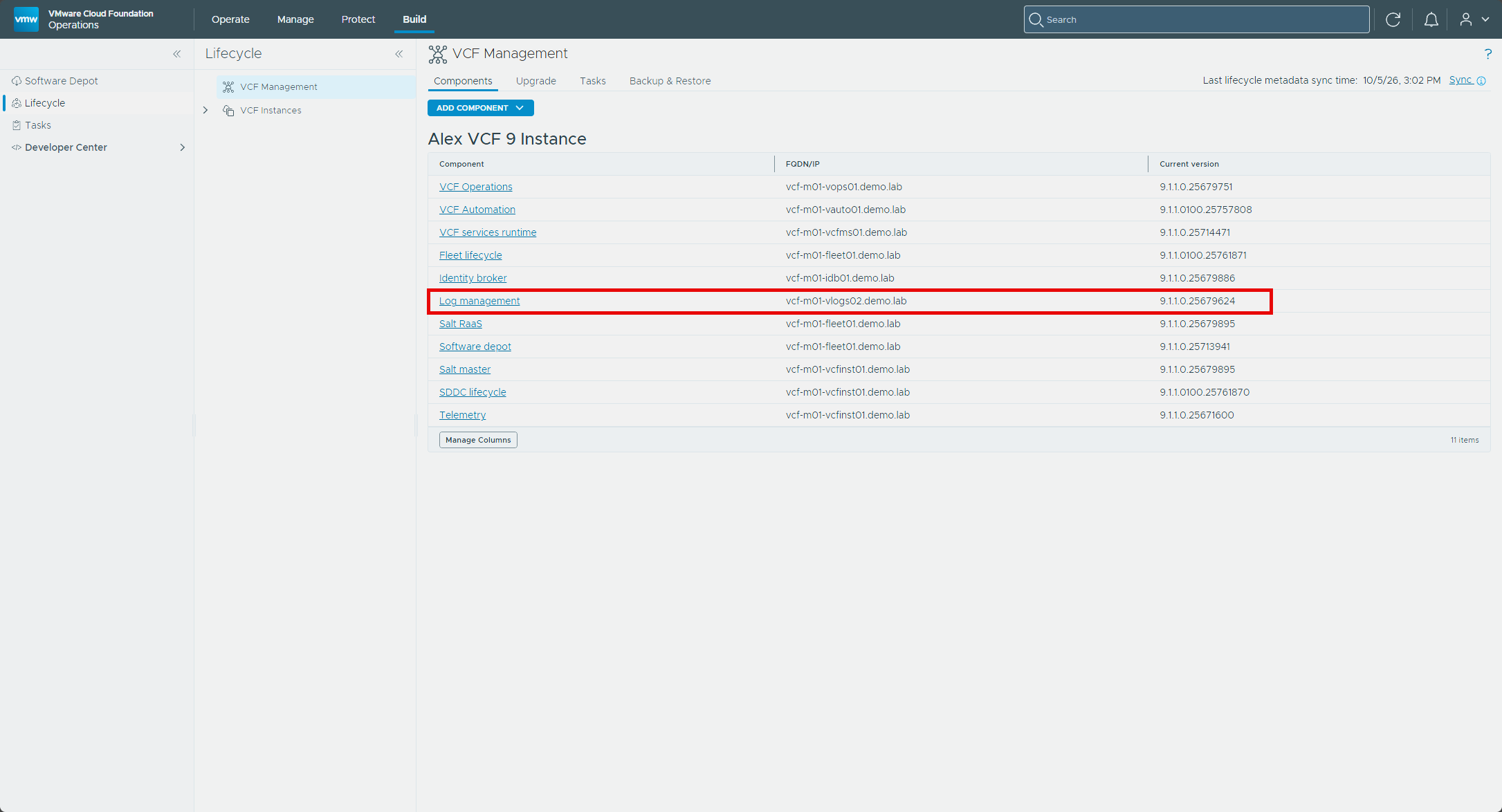
This one finished. The Components tab now lists Log management on vcf-m01-vlogs02.demo.lab at 9.1.1.0.25679624.
What’s left after the deployment
Broadcom’s follow-up list is written for the import case, where the new instance receives the old configuration, and it’s the checklist for an upgrade that goes the normal way (Deploy Log Management, upgrade page). Here is the post-upgrade list:
- Agents. With an import from 9.0 and log collection configured in the VCF Operations 9.0 UI, the agent and log source reconfiguration is automatic.
- Log sources. Anything that didn’t transition on its own needs repointing at the new instance.
- Log forwarding. Imported forwarders are copied over but are not active, so they have to be re-enabled by hand, and any forwarder that points at the old cluster has to be reconfigured to use the new log management FQDN.
- Custom content. Dashboards, queries, and alerts are not transferred automatically. The path is to bundle them into a Content Pack, run the conversion tool to turn that into a Management Pack, then install it into VCF Operations.
- Historical log data. You can use the log data transfer utility, import archived data and query it in the new UI, or, for 90 days after the upgrade, query the old cluster through the new 9.1 UI.
Once that configuration is finished, the legacy appliances can be shut down and removed.
I skipped the import, so none of that was copied across for me. Once log management existed, the Activate Log Collection box on both of my vCenter accounts in VCF Operations was usable and already ticked, and the Log Collection page under Administration → Configurations listed both vCenters under Log Sources, with the cloud proxy as the collector and a status of Configured. On each vCenter’s log collection configuration page, vCenter Events, Tasks and Alarms Collection was ticked and vCenter Log Collection was not, so I turned on vCenter Log Collection for both vCenters and saved. The 90-day query of the old cluster is promised after an upgrade, and I haven’t confirmed that it works after a fresh deployment, so I’d check before removing an appliance that holds logs I want.
NSX didn’t follow. On the Log Collection page both NSX sources show a status of Failed, with “Unexpected Status Code - Status code: 404” and a pointer to KB 433089. Both NSX sources showed Received by the end of the series, which I come back to in Part 6.
With the vCenters sending to the new instance, I powered off vcf-m01-vlogs01. Powering off is reversible, which is why that comes before deleting it.
Deleting the old appliances
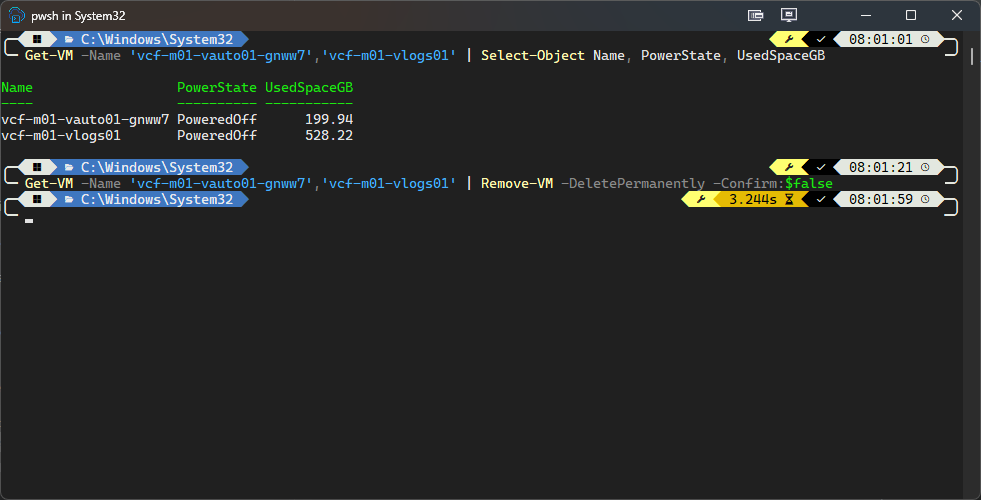
I did this later than the rest of Part 3, once the ESX precheck in Part 5 flagged storage on the cluster. The upgrade shut down the old 9.0.x Automation node vcf-m01-vauto01-gnww7 rather than deleting it, and vcf-m01-vlogs01 is the old Logs appliance I powered off after the fresh deployment. Both are still in vCenter. Deleting vcf-m01-vlogs01 also ends the option of querying its old logs.
Get-VM -Name 'vcf-m01-vauto01-gnww7','vcf-m01-vlogs01' | Select-Object Name, PowerState, UsedSpaceGB
Get-VM -Name 'vcf-m01-vauto01-gnww7','vcf-m01-vlogs01' | Remove-VM -DeletePermanently -Confirm:$false
Both were powered off before I deleted them.
The freeze window lifts
With VCF Automation and VCF Operations for Logs both on 9.1 (plus VCF Operations for Networks, where there is one), the cert and password freeze window from Part 1 is lifted for those components. The Identity Broker is the other component behind it, and it comes along in Part 4 if it’s embedded. Any cert rotations or password resets parked because of the freeze can be picked back up for those components now.
What’s next
In Part 4, I move into the core infrastructure with NSX Manager and vCenter.
Drop a comment and let me know how the Automation and Log Management steps went for you.
-virtualex-
Comments